这篇文章最后更新于 some 天前,内容可能已经过时。
我愿称最强 Markdown 导出!
I 安装 pandoc
GitHub release 页面
我的建议是下载 msi 文件,直接安装(For all users)。
甚至我可以给出文件下载链接(短期有效):https://github.com/jgm/pandoc/releases/download/3.10.1/pandoc-3.10.1-windows-x86_64.msi
II 安装 Obsidian 插件
Obsidian,进入左下角设置,第三方插件,(关闭安全模式),社区插件市场,搜索 Enhancing Export (作者 YISH )安装并启用。
III 配置偏好文件并保留设置
仍然在 Obsidian 设置,第三方插件,点击 Enhancing Export 右侧齿轮进入设置。
默认导出文件夹
建议设为 与原文件同一目录下
编辑命令模板
先选择模板 Word(.docx), 自定义参数中,填写
一定要加上这个!否则导出 docx 缺失公式!
编辑导出偏好模板
为了导出的 Word 文件更有美感,符合个人风格,建议配置偏好模板。
1. 前置准备:找到 Pandoc 用户数据目录
输出中 User data directory 对应路径即为目标目录,系统默认路径:
- Windows:
%APPDATA%\pandoc(通常为 C:\Users\你的用户名\AppData\Roaming\pandoc)
- macOS:
~/Library/Application Support/pandoc
- Linux:
~/.local/share/pandoc
2. 导出模板
在某个文件夹下打开 Powershell
1
| pandoc --print-default-data-file reference.docx > reference.docx
|
3. 修改模板
修改上述导出的模板,具体修改:
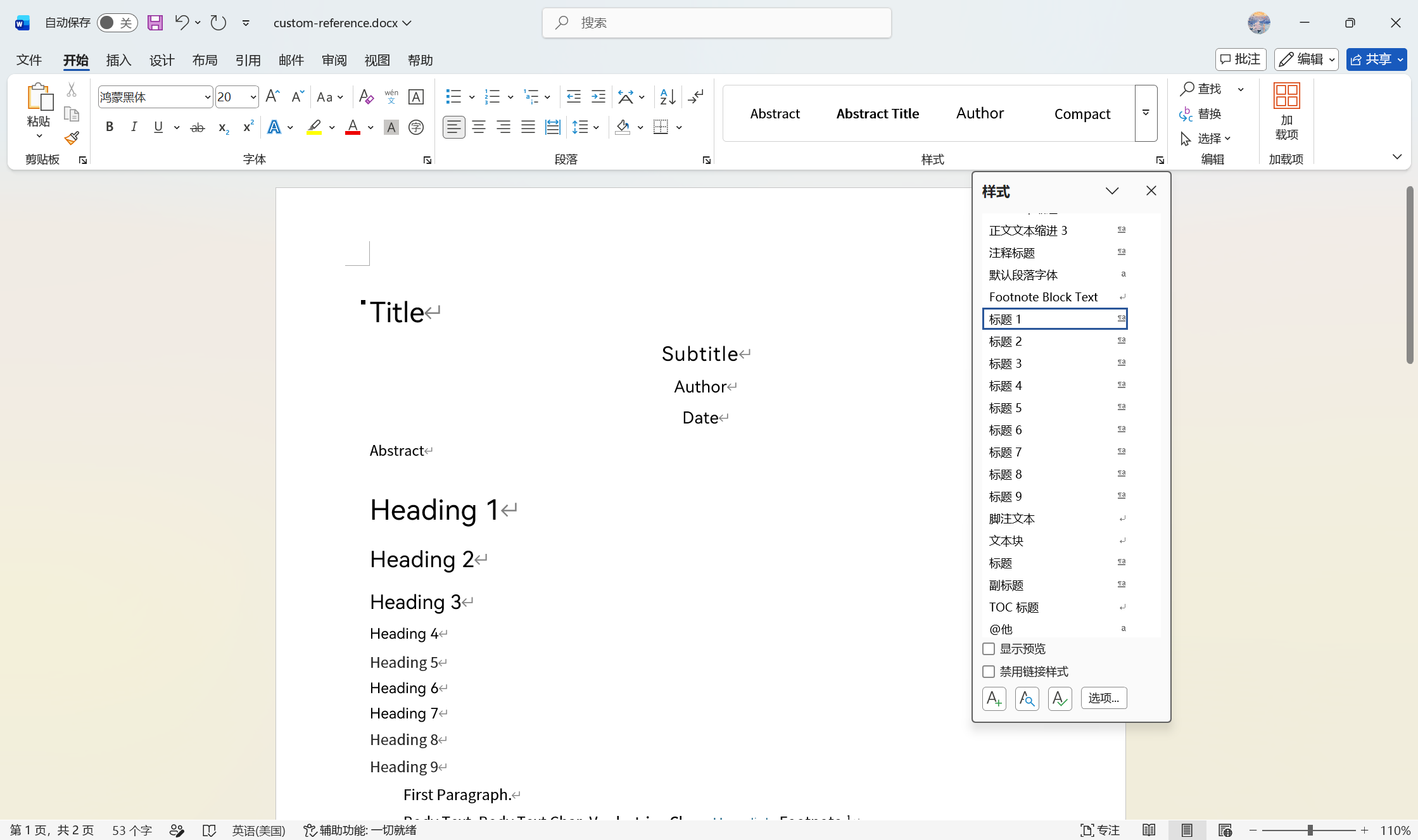
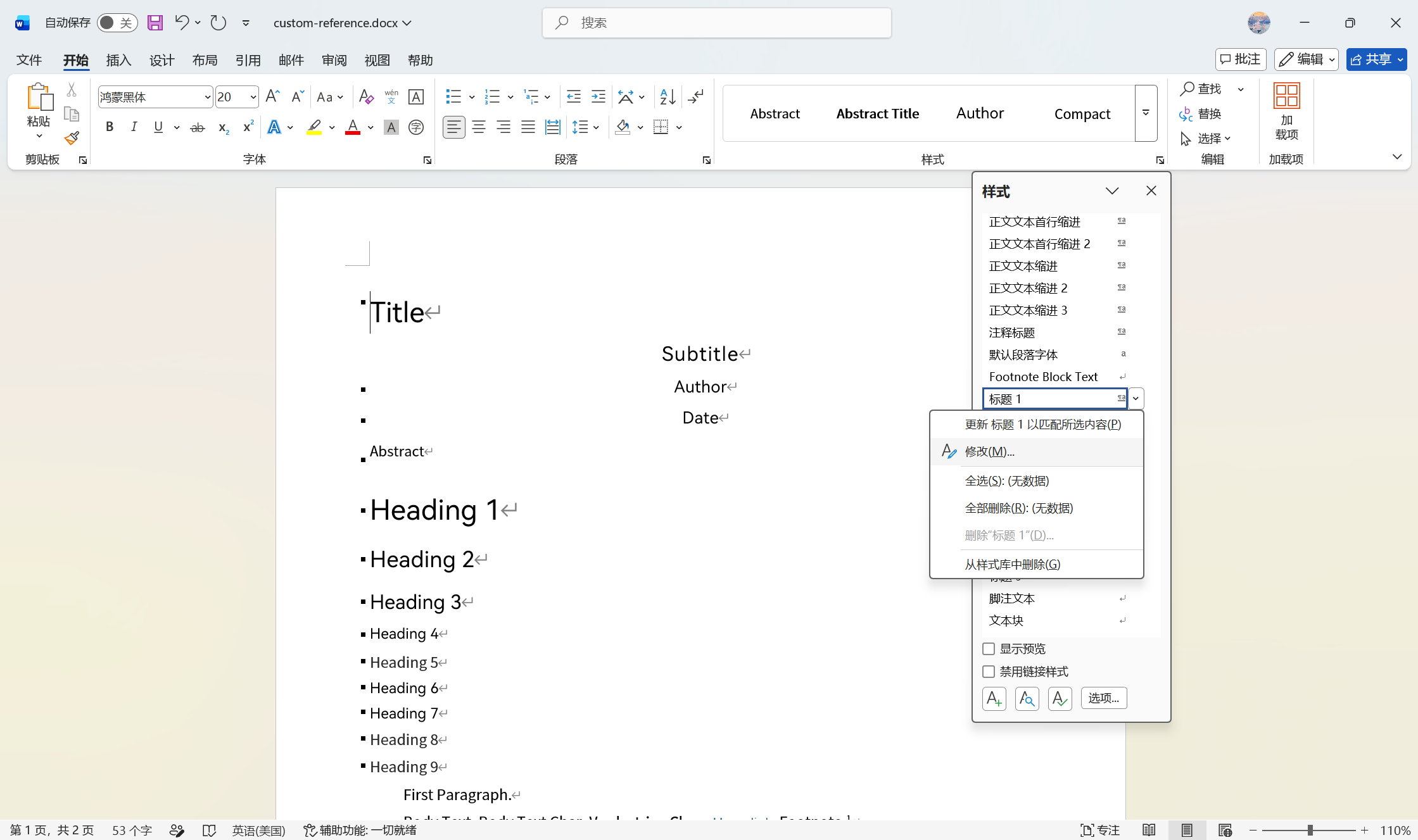
选择标题、正文、列表、超链接等常用样式,记得右下角箭头展开详细窗格

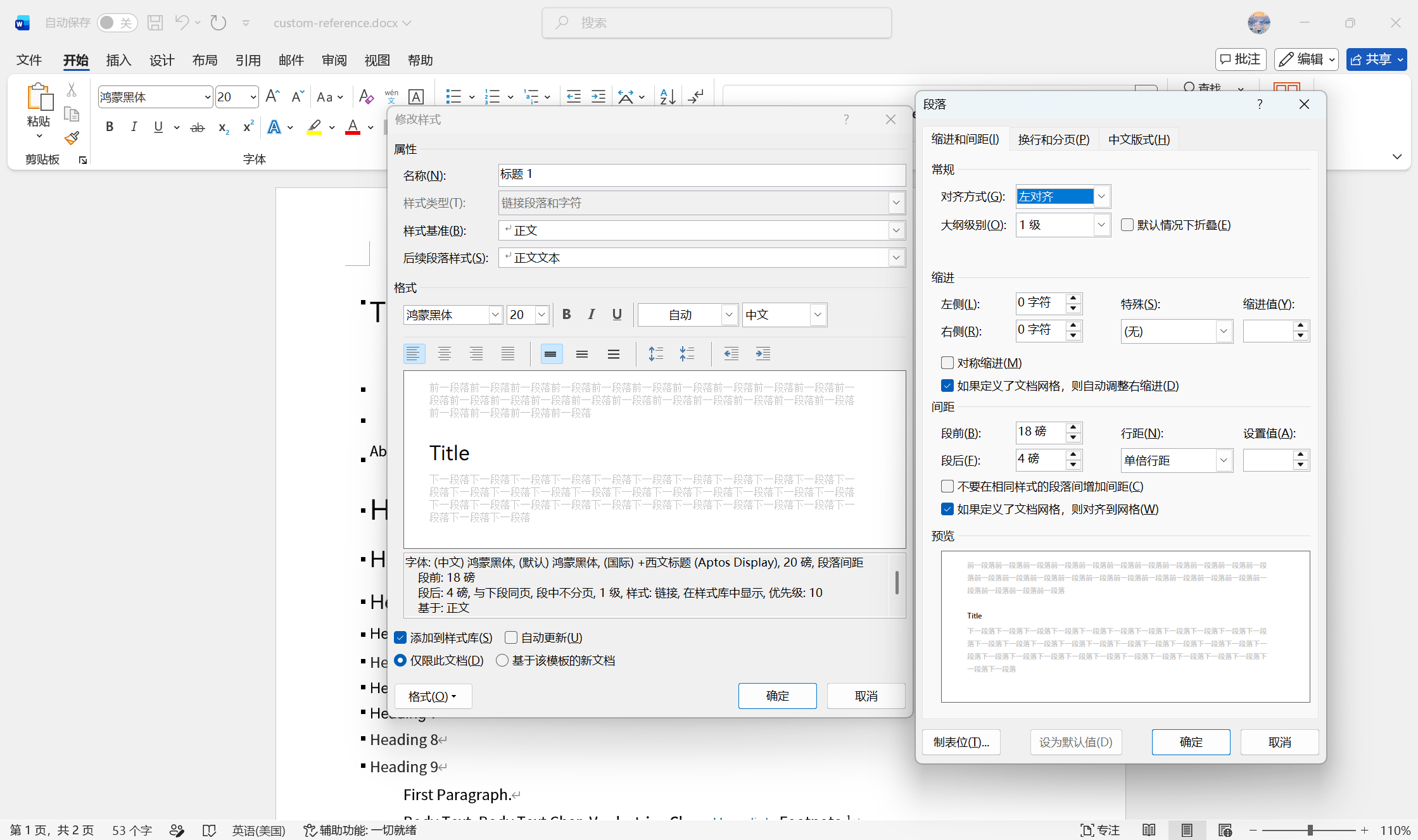
进入修改后,左下角选择字体、段落等常用样式
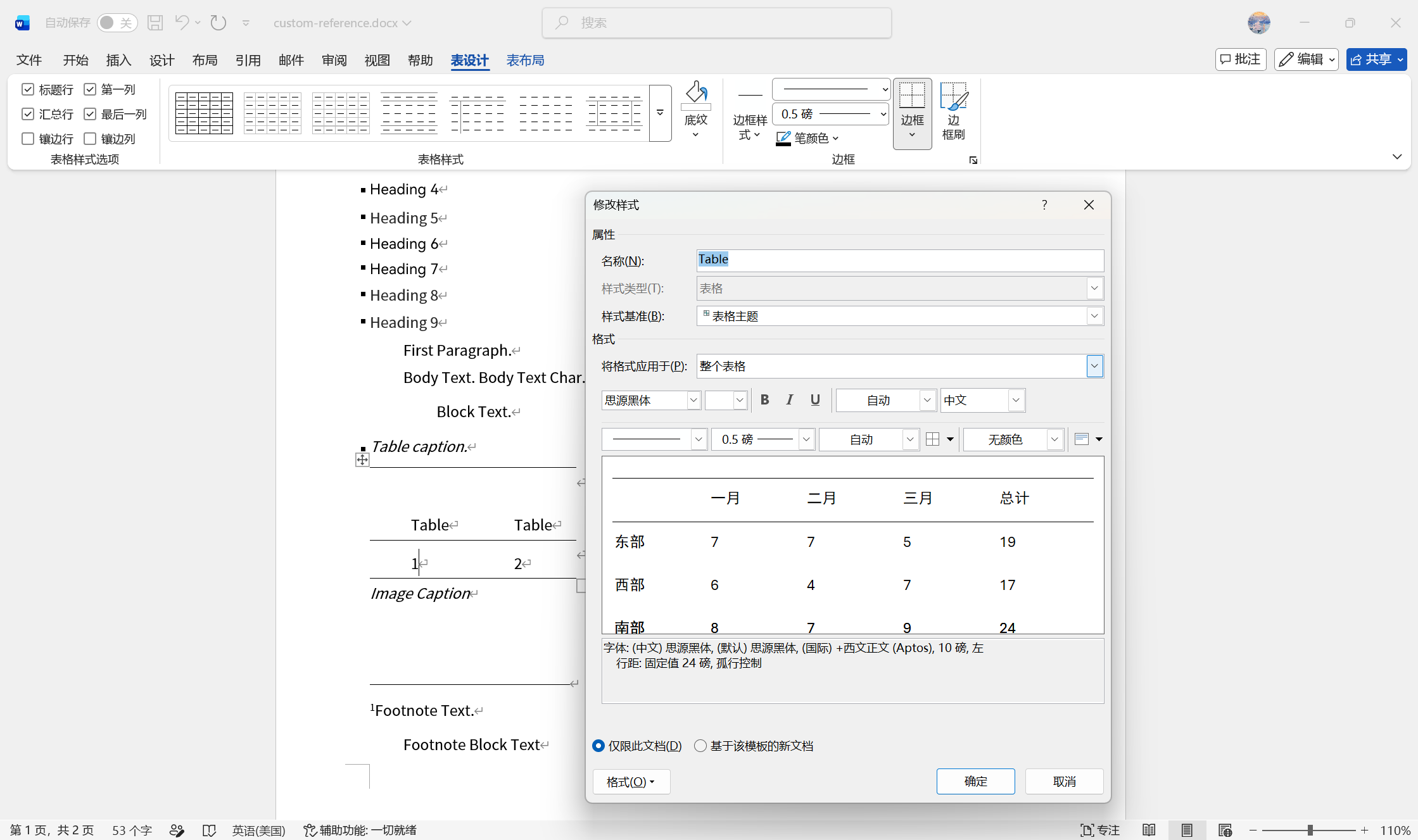
选中表格后,进入表设计-表格样式-修改表格样式
4. 保存一份到用户数据目录
不要修改文件名。这个目录需要自己创建。
IV 导出!
现在回到 Obsidian 中,打开一个 md 文件,右上角三个点,然后“导出为……”,选择格式(例如 Word(.docx))就可以导出啦
还需要注意:
pandoc 可能不支持中文路径,所以保证你的文件路径中不含中文- 一定要注意 Markdown 语法,否则导出失败。参见附录一。
给你一张好看的图片作为祝贺!
附录一:Markdown语法编译错误
| 序号 |
名称 |
错误 |
正确 |
| 01 |
分割线 |
使用 --- 后直接输入下一行 |
应在 --- 后起码留出一个空行 |
| 02 |
公式 |
$公式内直接输入中文 |
公式中的中文应用 text_{} 包裹在大括号中
参考修改建议见附录二 |
更多错误还在收集中。
附录二:关于公式中中文统一调整的示例代码
警告:此代码由AI生成,请做好文件备份!
1
2
3
4
5
6
7
8
9
10
11
12
13
14
15
16
17
18
19
20
21
22
23
24
25
26
27
28
29
30
31
32
33
34
35
36
37
38
39
40
41
42
43
44
45
46
47
48
49
50
51
52
53
54
55
56
57
58
59
60
61
62
63
64
65
66
67
68
69
70
71
72
73
74
75
76
77
78
79
80
81
82
83
84
85
86
87
88
89
90
91
92
93
94
95
96
97
98
99
100
101
102
103
104
105
106
107
108
109
110
111
112
113
114
115
116
117
118
119
120
121
122
123
124
125
126
127
128
129
130
131
132
133
134
135
136
137
138
139
140
141
142
143
144
145
146
147
148
149
150
151
152
153
154
155
|
"""
将 Markdown 文件中数学公式($...$)里的中文(含中文标点)用 \\text{} 包裹。
- 仅处理 $...$ 包裹的公式区域(非公式区域不动)。
- 已在 \\text{...} 内的中文不会被重复包裹。
- 连续的中文字符/标点会合并到一个 \\text{} 中。
- \\$、\\{、\\} 等转义序列原样保留,不会误触发公式或括号匹配。
用法:
python wrap_chinese.py [文件路径] # 默认 e:\\Gallery\\bixiu.md
"""
import sys
import shutil
from pathlib import Path
def is_chinese(c: str) -> bool:
"""判断单个字符是否属于需要包裹的“中文”(汉字 + 中文标点,排除全角字母数字)。"""
cp = ord(c)
if 0x4E00 <= cp <= 0x9FFF:
return True
if 0x3400 <= cp <= 0x4DBF:
return True
if 0xF900 <= cp <= 0xFAFF:
return True
if 0x3000 <= cp <= 0x303F:
return True
if 0xFF00 <= cp <= 0xFFEF:
if 0xFF10 <= cp <= 0xFF19:
return False
if 0xFF21 <= cp <= 0xFF3A:
return False
if 0xFF41 <= cp <= 0xFF5A:
return False
return True
return False
def wrap_chinese_in_formula(content: str) -> str:
"""对单个公式内容做处理:把不在 \\text{} 内的连续中文用 \\text{} 包裹。"""
result = []
buf = []
i = 0
n = len(content)
def flush():
if buf:
result.append(r"\text{" + "".join(buf) + "}")
buf.clear()
while i < n:
if content.startswith(r"\text{", i):
flush()
depth = 0
j = i + len(r"\text")
while j < n:
cj = content[j]
if cj == "\\":
j += 2
continue
if cj == "{":
depth += 1
elif cj == "}":
depth -= 1
if depth == 0:
j += 1
break
j += 1
result.append(content[i:j])
i = j
continue
c = content[i]
if is_chinese(c):
buf.append(c)
else:
flush()
result.append(c)
i += 1
flush()
return "".join(result)
def process(text: str) -> str:
"""遍历全文,进入 $...$ 公式区域时对其内容做中文包裹。"""
out = []
i = 0
n = len(text)
in_math = False
math_buf = []
while i < n:
c = text[i]
if c == "\\" and i + 1 < n:
if in_math:
math_buf.append(c)
math_buf.append(text[i + 1])
else:
out.append(c)
out.append(text[i + 1])
i += 2
continue
if c == "$":
if not in_math:
in_math = True
out.append("$")
math_buf = []
else:
out.append(wrap_chinese_in_formula("".join(math_buf)))
out.append("$")
in_math = False
math_buf = []
i += 1
continue
if in_math:
math_buf.append(c)
else:
out.append(c)
i += 1
if in_math and math_buf:
out.append("".join(math_buf))
return "".join(out)
def main():
path = Path(sys.argv[1]) if len(sys.argv) > 1 else Path(r"e:\Gallery\bixiu.md")
text = path.read_text(encoding="utf-8")
new_text = process(text)
bak = path.with_suffix(path.suffix + ".bak")
shutil.copy2(path, bak)
path.write_text(new_text, encoding="utf-8")
before = text.count(r"\text{")
after = new_text.count(r"\text{")
print(f"已处理: {path}")
print(f"备份已保存: {bak}")
print(f"\\text{{}} 数量: {before} -> {after} (新增 {after - before})")
if __name__ == "__main__":
main()
|